Bookings, attendees and payments, in one place.
Plan your courses, manage bookings, prepare messages and see what’s profitable. One private Windows app, built for people who teach, train and run workshops.
Windows 10/11 · 64-bit Intel or AMD PC · Windows 11 recommended
Take a look inside ↓See how it works.
In 75 seconds.
See how bookings, payments, messages and reports fit together in one private Windows app.
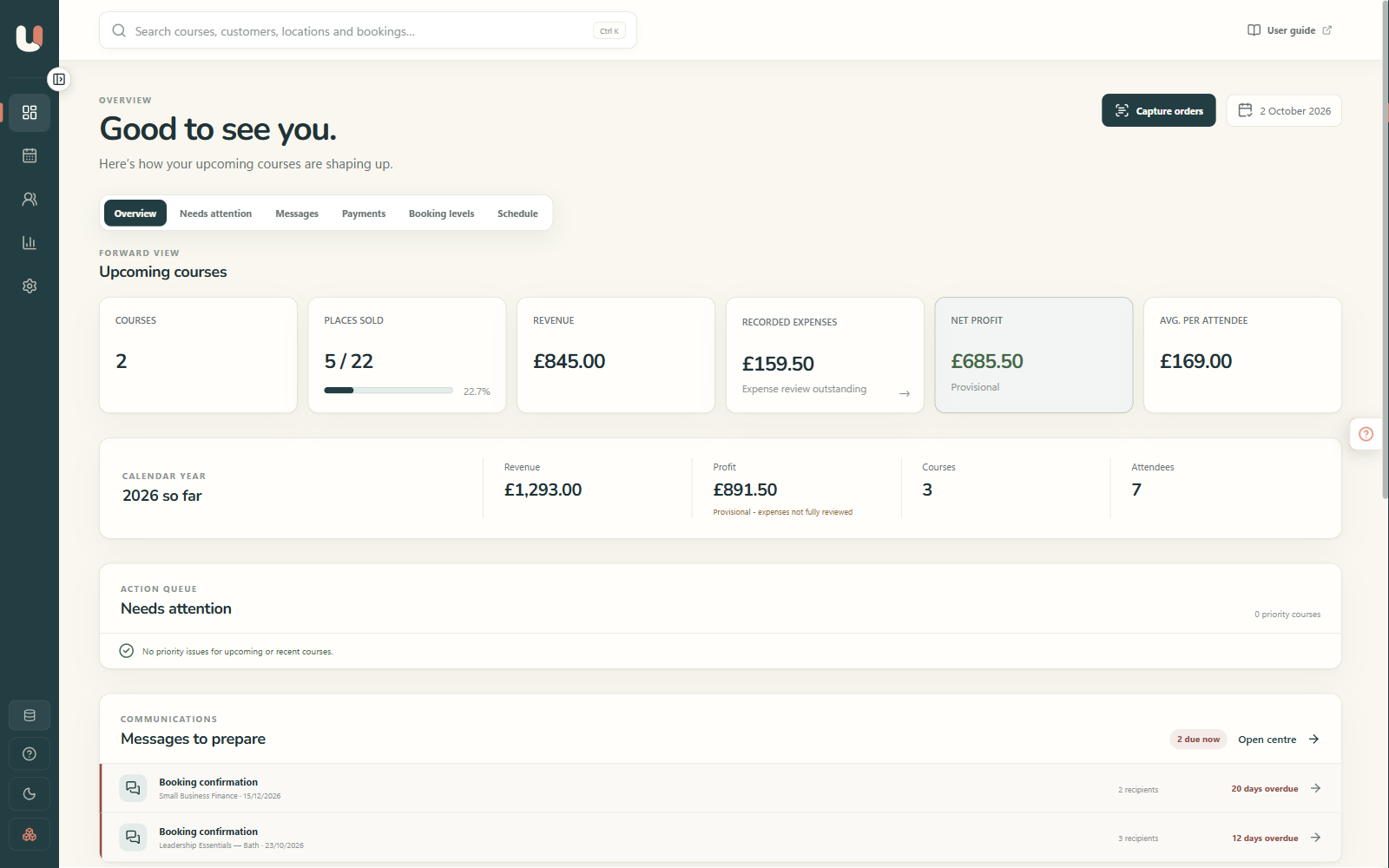
Less keeping track.
More getting on.
For independent trainers, coaches, tutors and workshop leaders. The details you add once stay useful all the way through.
Plan it once.
Set dates, capacity and venues for in-person, online, multi-day or repeating courses. Reuse templates and checklists for the next one.
Keep every booking together.
Connect people, places, attendance, notes and communication history. Manage waiting lists and transfers without losing the context.
Know what’s been paid.
Track deposits, instalments, refunds and outstanding balances alongside the booking they belong to.
Prepare the right message.
Create personalised confirmations, joining information, reminders and follow-ups. Review them before copying or opening them in your email app.
Be ready on the day.
Check people in, print attendee sheets and keep a dependable record of who came.
See what’s working.
Bring income and recorded expenses together. Compare occupancy and profit so the next course starts with a clearer picture.
Your work. Your words.Course · Class · Workshop · Session · Event · ProgrammeChoose the wording for each database, or add your own.
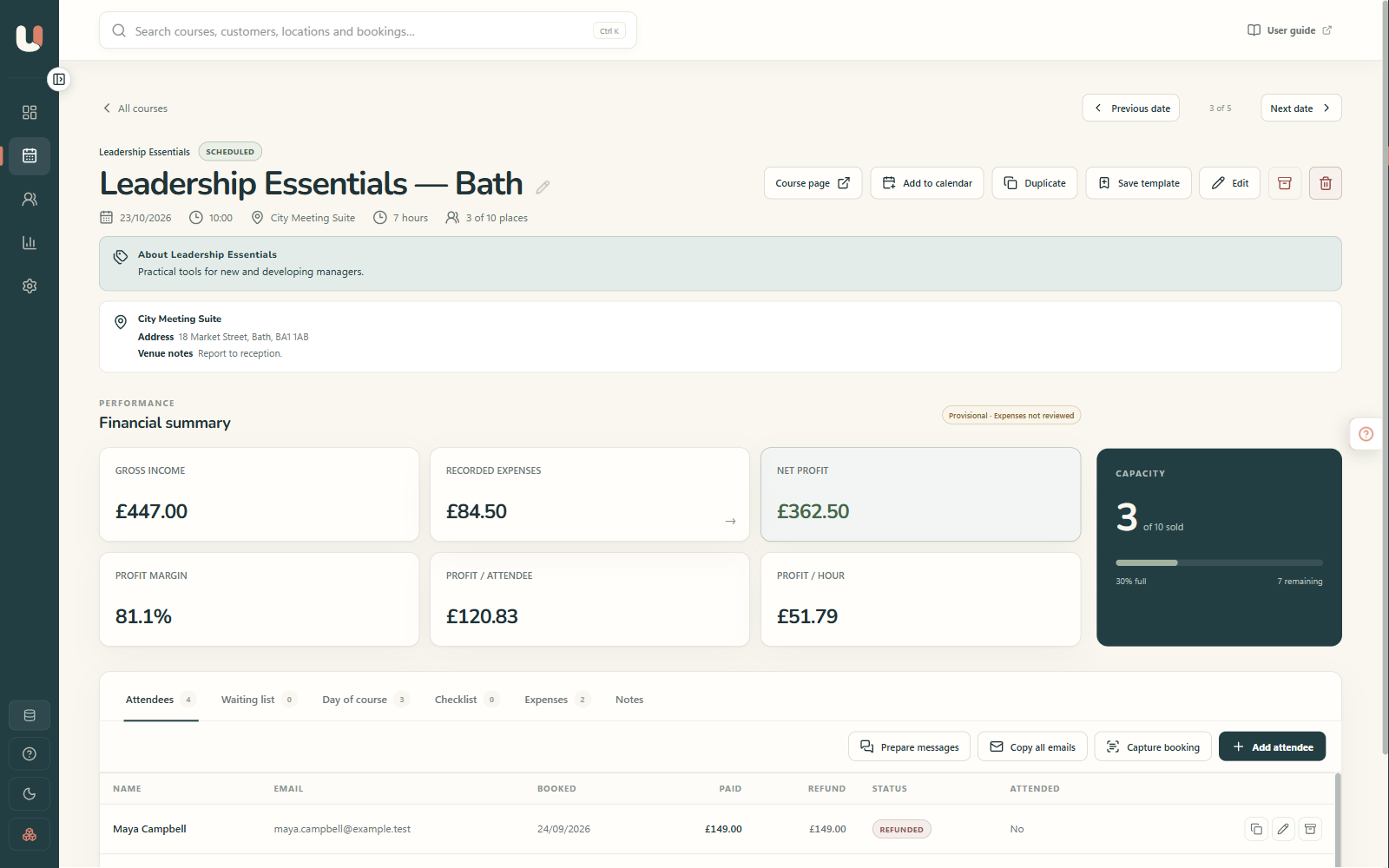
The details belong with the booking.
Open a course and see the people, payments, checklist and figures together. You can get on with the next job without piecing the story together from an inbox and three spreadsheets.
- Capacity, bookings, waiting lists and attendance
- Deposits, payment plans, refunds and transfers
- Reusable checklists and course templates
- Income, expenses and profit for that course
Already have bookings? Add them directly, import suitable CSV data, or review details captured locally from saved emails, PDFs, screenshots, images and text files. You confirm the details before they are written.
Good records.
Useful answers.
Turn the information you already hold into a better understanding of your courses, customers and costs.
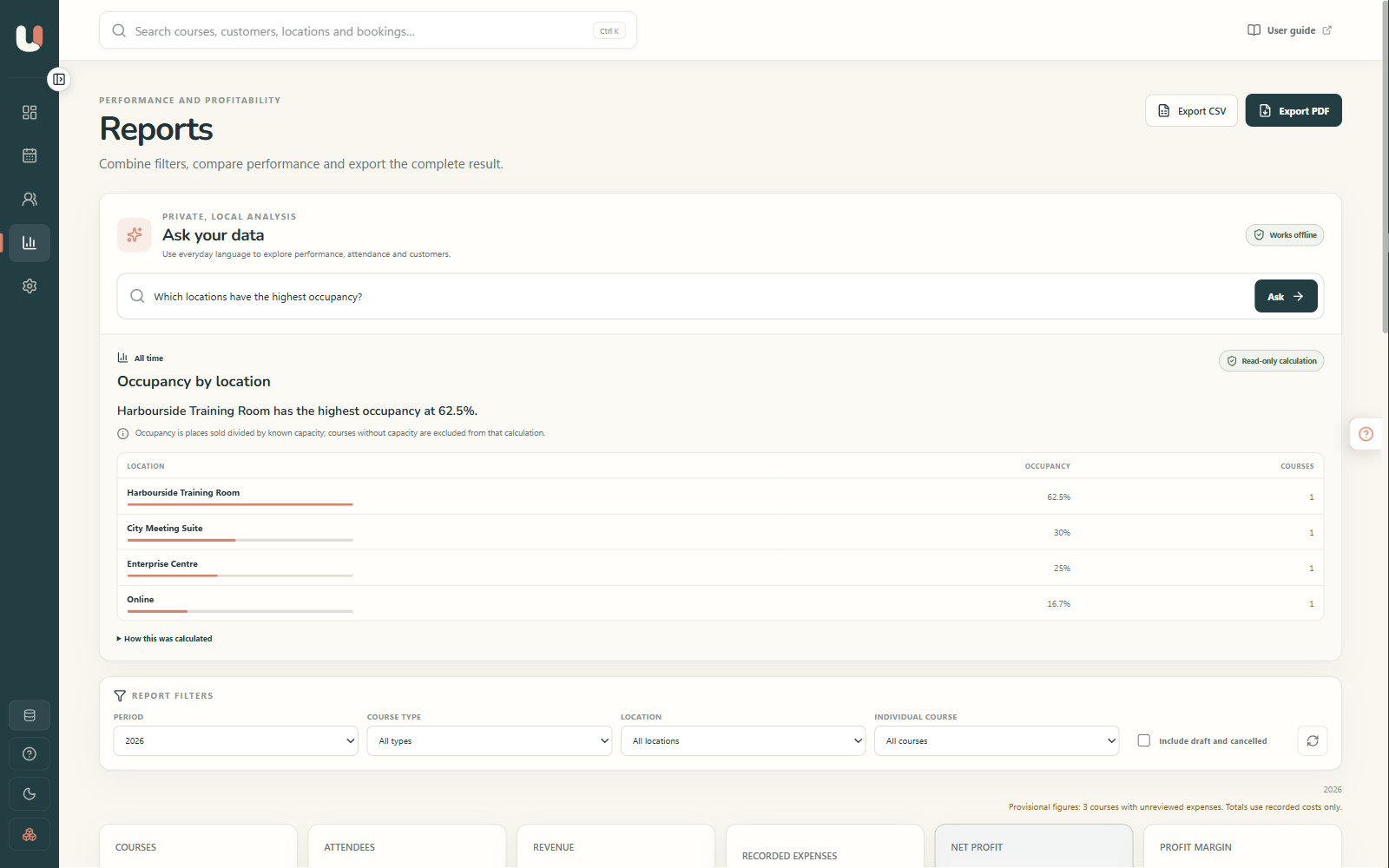
Ask in everyday language.
Ask about performance, attendance, customers, venues or available places. The app uses tested, read-only calculations on your computer and asks for clarification when a question is ambiguous.
“Which courses are empty?”
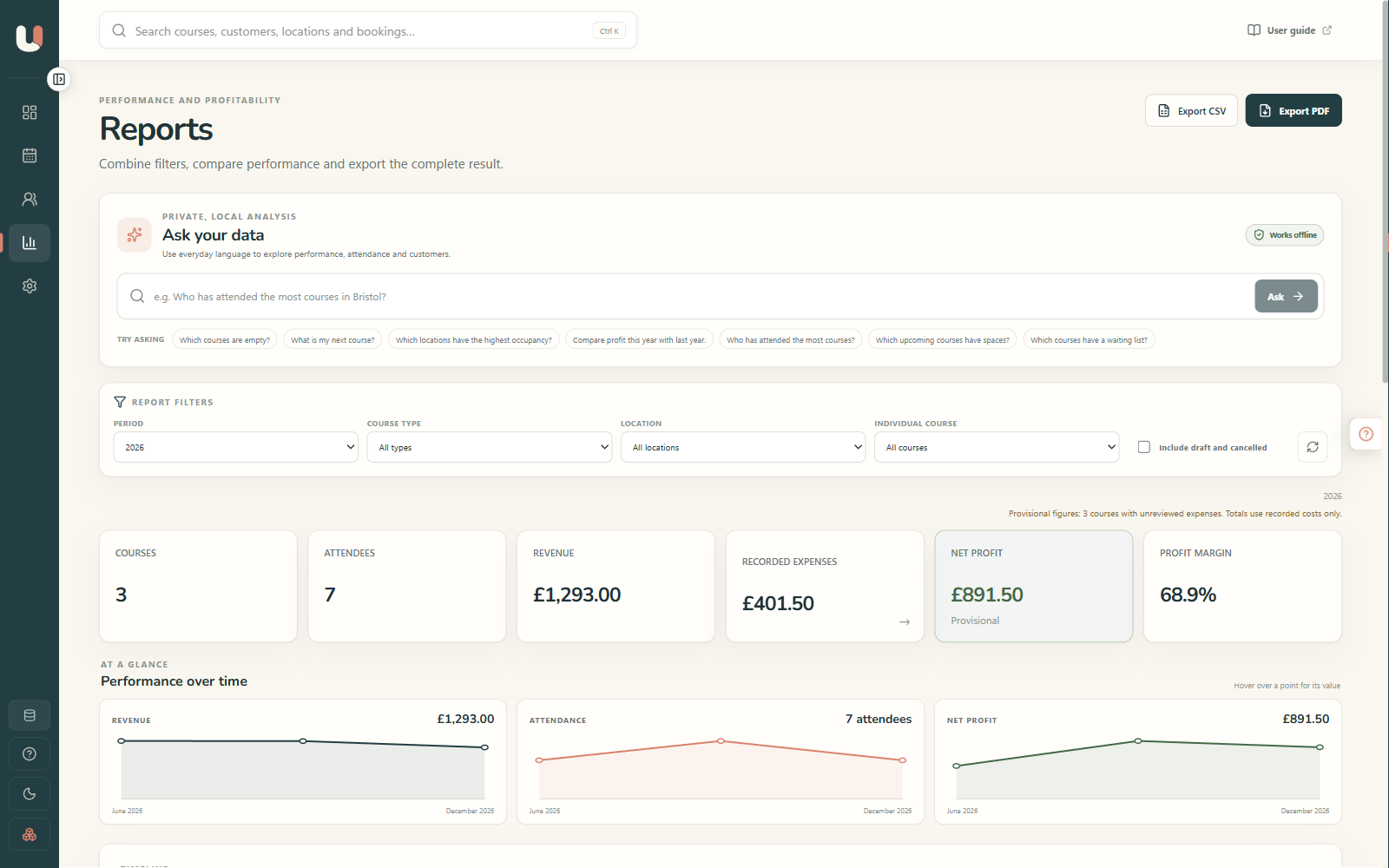
Look beyond the takings.
Compare occupancy, income, recorded costs, net profit, margin, profit per attendee and profit per hour. Filter by date, course type or venue, then export the view to PDF or CSV.
What’s earning its place in the diary?
Your customers.
Your records.
Your computer.
Useful software should help you look after the business, while keeping you in control of it.
Work locally.
Everyday course management, reporting, backups and Ask your data work on your computer. Internet access is needed for downloads, purchasing, email and any online services you use alongside the app.
Keep a way back.
Create automatic or manual backups, restore safely and run read-only health checks. Export reports when you need them. Separate portable databases keep different organisations’ records and settings apart.
You make the final call.
The app prepares customer messages and helps identify booking details. You review the result. It never sends customer messages automatically.
Seven full days.
Make yourself at home.
The best way to see whether it suits your business is to try it with the work you actually do.
Download the app.
Install the signed 64-bit Windows release. Start with example data or create a database for your business.
Try the whole thing.
Use every feature for seven calendar days from first launch. There are no feature restrictions during the trial.
Decide if it fits.
A perpetual Version 1 licence costs £99 plus applicable taxes. All Version 1.x updates are included.
Keep your records.
Enter a Version 1 licence to continue editing. If the trial ends first, you can still view, back up and export your data.
No monthly software subscription. A future major Version 2 may be a separate paid upgrade. Stripe shows the total, including applicable taxes, before you pay.
Buy Version 1 on Stripe ↗ (opens in a new tab)A few useful answers.
A clear answer now is better than a surprise later.
Something else on your mind? Contact the teamWhich computers does it run on?
The current release supports 64-bit Windows PCs with an Intel or AMD processor. The technical minimum is Windows 10 version 22H2; Windows 11 is recommended. Windows on ARM is not currently tested or supported.
What does my computer need?
- Memory
- 4 GB minimum; 8 GB recommended
- Storage
- 1 GB free, plus room for databases and backups
- Display
- 1280 × 720 minimum; 1440 × 900 or larger recommended
The recommended specification gives more breathing room when reviewing PDFs or using local text recognition.
Is there a Mac version?
Not yet. A macOS version is planned. Its release date and requirements will be published after the signed Mac build has completed compatibility testing.
Can customers book and pay through my website?
This release manages the bookings and customer records your business receives. It does not currently add a public self-booking or card-payment page to your website.
Can I bring in bookings I already have?
Yes. Add bookings directly, import suitable data from CSV, or review booking details captured locally from saved emails, PDFs, screenshots, images and text files. Nothing is written until you confirm it.
Will it send emails for me?
It prepares personalised confirmations, reminders, joining information and follow-ups. You review them, then copy them or open them in your email app. It never sends customer messages automatically.
Does it need an internet connection?
Everyday management, reporting, backups and Ask your data work locally. You need internet access to download the installer, purchase a licence, use email or access online services alongside the app.
What happens when the trial ends?
Editing pauses until you enter a Version 1 licence. Your existing data remains available to view, back up and export. The trial runs for seven calendar days from first launch.
Can I call them workshops, classes or something else?
Yes. Choose Workshop, Class, Course, Session, Event or Programme, or enter your own singular and plural wording for each database.
Can I keep different organisations separate?
Yes. Each portable .uwm database has its own courses, customers, finances, wording, branding and settings. Open the database you need when you need it.
Is £99 a subscription?
No. £99 plus applicable taxes buys a perpetual Version 1 licence, including every Version 1.x update. Stripe shows any applicable local tax at checkout. A future major Version 2 may be a separate paid upgrade.
A little less admin.
A little more breathing room.
Try Useful Course & Class Manager free for seven days. Bring your courses, or have a look around with the example data first.
Windows desktop · Full seven-day trial · £99 plus applicable taxes for Version 1